
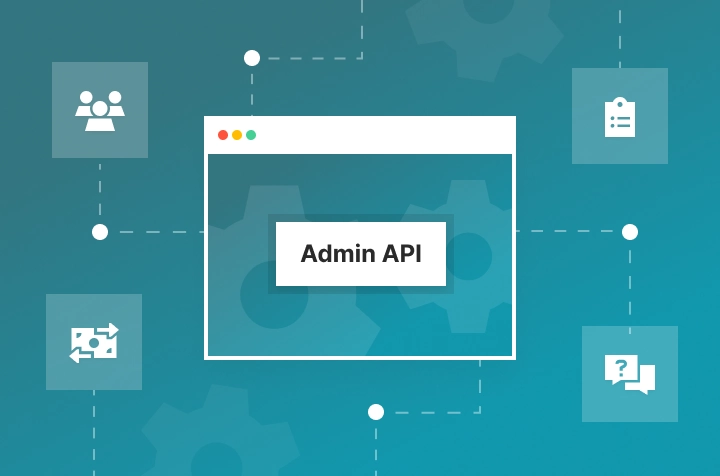
As your panel grows and your processes change, you may want more control over how certain operations are handled. The Admin API offers an additional way to build custom automation on top of your panel, helping you streamline specific workflows, reduce repetitive actions, and save time — especially if you're a service provider. This blog post will explain how the Admin API can be used to cut down on manual work and optimize panel operations.
What is the Admin API and how is it useful?
The Admin API is an additional tool for panel owners who want to integrate their panel with other products or services via API, develop custom automations within their SMM panels, and more. Using it requires developer skills. By connecting the Admin API to third-party systems or software, you can extend your panel’s capabilities and adapt it to your specific business workflows.
Key tasks you can automate with the Admin API
Admin API gives access to a wide range of actions. Here are some common aspects you can automate:
Work with Orders
If you provide your own services or need additional order management, the Admin API is a powerful tool. It allows you to pull orders on your side and automatically update the status of each order as it progresses and is completed. This makes it easier to handle large volumes of requests without manual effort. For example, you can:
- Automate order processing for manual services by sending orders from your panel to the software that fulfills them.
- Automatically update order statuses for manual services — sync order statuses between your panel and a software you’re using for order fulfillment.
- Automatically handle cancellations and refunds or refills for manual service orders.
- Automate management of problematic orders by resending failed orders to the provider based on rules you define.
Payment Management
Fast balance top-ups are critical for panel users, while panel admins need full visibility into how payments are processed and recorded. The Admin API helps you automate payment handling when using custom or manual payment methods and gives you access to detailed payment data when deeper transaction tracking is required. This allows you to speed up balance credits, improve transparency, and keep payment workflows under control. With the Admin API, you can:
- Automatically credit payments to user balances for manual and custom payment methods.
- Receive detailed payment data from the panel for more accurate transaction tracking and accounting.
- Track suspicious transactions and take action on them.
Ticket Processing
Keeping up with customer support requests is essential for a smooth panel experience. The Admin API helps automate ticket management and provides powerful tools for integration and workflow optimization, such as:
- Integration with external solutions for the automatic handling of user requests related to orders.
- Tracking staff activity on tickets — identify the most common topics, and generate detailed statistics and reports.
- Setting up automated workflows, such as sending instant greetings or updates to users.
- Simplifying user communication — for example, by creating a ticket that helps verify a user’s identity when external verification is required.
User Management
The Admin API can also help automate client management and ensure a smooth experience for your customers. You can:
- Automatically create a user in the panel when the user registers in an external solution.
- Check if a user exists in the panel if you interact with them outside the panel as well.
- Create automated notifications for users based on specific data in the panel (e.g., when a user’s balance decreases) or for marketing campaigns.
How to get started with the Admin API
To use the Admin API, you’ll need some programming knowledge or access to a developer. To get started, generate an Admin API key from Panels > Ellipsis menu (…) > Admin APIv2.
We are constantly working on improving current methods and adding new ones. You can check all the available API methods here.
Whether you're managing tickets, users, orders, or payments, the Admin API can help automate tasks and reduce manual effort — letting you focus on growing your business and keeping things running smoothly.